
What Is Profile Creation in SEO? A Complete Step-by-Step Guide

Written by Shivam Panchal
Founder & SEO Consultant, SEO Shades
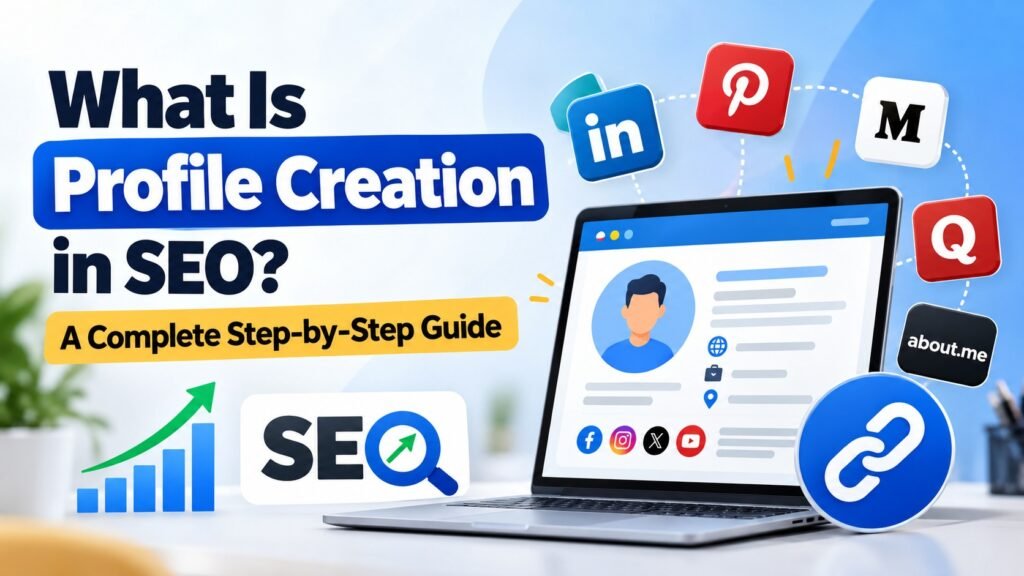
Profile Creation in SEO is one of the most commonly used techniques in Off-Page SEO and link building. It involves creating personal or business profiles on relevant third-party websites and adding information such as your business name, website URL, description, profile image, and social media links.
You have probably seen websites like LinkedIn, Pinterest, Quora, Medium, and About.me. These platforms allow users to create public profiles where they can introduce themselves, share their expertise, and sometimes add a link to their website.
But does creating profiles on these websites actually help improve your Google rankings? Are profile creation backlinks still useful for SEO? And how do you create these profiles correctly?
These are some common questions, especially among SEO beginners who are learning different link-building techniques.
In this guide, I will explain what profile creation in SEO is, why it is used, its benefits, different types of profile creation websites, and how to create profiles step by step. I will also cover common mistakes and best practices to help you use this technique effectively.
Let’s get started.
What Is Profile Creation in SEO?
Profile Creation in SEO is an Off-Page SEO technique in which you create a personal or business profile on third-party websites.
While creating these profiles, you can add information such as:
- Personal or business name
- Profile picture or company logo
- Website URL
- Business description
- Services or professional expertise
- Location and contact information
- Social media profile links
For example, suppose you own a digital marketing agency and have your own website.
You can create business or professional profiles on platforms like LinkedIn, Pinterest, About.me, and other relevant websites.
Within these profiles, you can mention your company name, explain the services you offer, add your website URL, and provide a short business description.
This helps establish your brand identity across different online platforms. It also gives people another way to discover your business and learn about your services.
In simple terms, profile creation means building your personal or business presence on other websites and adding your website link wherever the platform allows it.
This process is known as Profile Creation in SEO.
Why Is Profile Creation Important in SEO?
Now that you understand what profile creation is, let’s look at why SEO professionals use this technique.
Profile creation offers several potential benefits, particularly for brand visibility, referral traffic, and backlink opportunities.
Here are five important benefits.
1. Improves Brand Awareness
One of the main benefits of profile creation is increased brand awareness.
When you create business profiles on different platforms, your brand gets more opportunities to appear across the internet.
For example, suppose someone searches for your company name on Google.
Along with your official website, they might also find your LinkedIn profile, Pinterest account, or other public business profiles in the search results.
This gives users multiple ways to discover your brand and learn more about your business.
Having a consistent presence across relevant platforms can also help establish a stronger brand identity.
Related Post : What Is a Reciprocal Link in SEO? Is Link Exchange Safe or Risky?
2. Generates Website Referral Traffic
Profile creation can also help generate referral traffic.
When you add your website URL to a public profile, visitors can click that link and reach your website.
For example, if someone discovers your professional profile on LinkedIn, reads about your services, and wants to learn more, they can visit your website directly through the link in your profile.
This means profile creation is not just about building backlinks. It can also bring relevant visitors to your website.
However, the actual traffic you receive depends on how many people discover your profile and find your business relevant.
3. Creates Backlink Opportunities
Another important reason SEO professionals use profile creation is to get backlinks.
Many third-party websites provide an option to add your website URL to your user or business profile.
When you add your website link, it creates a backlink pointing to your website.
However, there is something important to understand.
Not every profile creation backlink is a DoFollow backlink. Some websites provide NoFollow links or use other link attributes.
So, don’t assume that every profile link will directly pass ranking signals to your website.
Instead of focusing only on the number of backlinks, pay attention to the website’s relevance, quality, and credibility.
4. Builds Your Online Presence
When your business has profiles on different relevant platforms, it becomes easier for people to find information about your company.
For example, a potential customer might discover your business through LinkedIn, while another person might find you through a business directory or a content-sharing platform.
These additional touchpoints help build your overall online presence.
You can use these profiles to explain your services, showcase your expertise, and provide links to your official website.
5. Creates Additional Brand Discovery Opportunities
Every relevant platform gives people another opportunity to discover your business.
Someone browsing LinkedIn might find your professional profile. Another person reading an article on Medium might discover your brand through your author profile.
This is why I believe profile creation should not be treated only as a backlink-building technique.
It is also a part of online brand building.
The more relevant places your business appears, the more opportunities you have to connect with your target audience.
Types of Profile Creation Websites
Before starting profile creation, you should understand that different types of websites allow users to create public profiles.
You can broadly divide these websites into five categories.
1. Social Media Websites
Social media platforms allow individuals and businesses to create profiles, share updates, and connect with their audiences.
Some examples include:
For businesses, these platforms can help build brand awareness, share updates, and connect with potential customers.
2. Professional Networking Websites
Professional networking websites are useful for building your professional identity and establishing credibility.
You can add your work experience, business information, expertise, services, and website links where supported.
Examples include:
- About.me
- Crunchbase
These platforms are particularly relevant for professionals, consultants, agencies, startups, and businesses.
3. Content-Sharing Websites
Content-sharing platforms allow users to publish articles, share ideas, and build a public author profile.
Some popular examples are:
- Medium
- Tumblr
- Blogger
You can use these platforms to publish useful content and build an identity around your expertise.
For example, an SEO professional can share articles about technical SEO, keyword research, link building, and content optimization.
Related Post : Backlinks Not Getting Indexed? Can You Save Your SEO Job?
4. Community and Discussion Websites
Community and discussion platforms allow users to participate in discussions, answer questions, and share knowledge.
Examples include:
- Quora
- Stack Overflow
These platforms are useful for connecting with people who share similar interests or work in the same industry.
However, simply creating an account is not enough. You should participate in relevant discussions and provide useful answers instead of using these platforms only to promote your website.
5. Business Directory Websites
Business directories allow companies to list their business information, services, website URLs, and contact details.
Examples include:
- Google Business Profile
- Industry-specific business directories
- Local business listing websites
These platforms can be particularly useful for businesses that want to improve their online visibility and help potential customers discover their services.
Important: Not every website is suitable for every business. Always select profile creation websites according to your niche, industry, and target audience.
How to Do Profile Creation in SEO? (Step-by-Step Guide)
Now comes the most important part: how to create a profile for SEO purposes.
If you are an SEO beginner, follow these six steps to understand the complete process.
Step 1: Find Relevant Profile Creation Websites
First, you need to find websites where you can create a personal or business profile.
You can use Google to find relevant platforms by searching for different queries.
For example:
- Profile Creation Sites for SEO
- High Authority Profile Creation Websites
- Free Profile Creation Sites
- Business Profile Creation Websites
- Professional Networking Websites
These searches can help you discover platforms that offer profile registration.
However, there is one thing I want you to remember.
Just because a website has a high Domain Authority (DA) does not automatically mean it is a good website for profile creation.
A website should be genuine, active, and relevant to your business.
For example, if you run a digital marketing agency, creating a professional profile on LinkedIn makes sense because the platform is relevant to your industry.
On the other hand, creating profiles on random websites just because they have high authority may not provide meaningful value.
Always prioritize relevance and quality over numbers.
Step 2: Create Your Account
Once you have selected a suitable website, visit its official website.
Look for an option such as:
- Sign Up
- Register
- Create Account
- Join Now
Click the relevant option and enter the required information.
Depending on the platform, you may need to provide:
- Name
- Email address
- Password
- Business name
- Other registration details
Some websites may also require email verification before allowing you to access your account.
Complete the registration process using genuine information.
Step 3: Complete Your Profile Information
After creating your account, the next step is to complete your profile.
Many beginners make the mistake of creating an account and immediately adding their website URL without completing the remaining details.
I would suggest avoiding this approach.
A complete profile looks more professional and gives visitors a better understanding of who you are and what your business offers.
Depending on the platform, you can add the following information:
- Business Name: Your official company or brand name.
- Profile Picture: A professional photograph or company logo.
- Business Description: A short introduction explaining your business.
- Website URL: Your official website address.
- Location: Your business location, where applicable.
- Contact Information: Relevant business contact details.
- Social Media Links: Links to your other official social media profiles.
Try to complete as many relevant profile fields as possible.
Related Post : 2000+ Social Bookmarking Sites: Best Platforms for SEO
Step 4: Add Your Website URL
Now, look for the website URL field in your profile settings.
For example, if your website is example.com, add the correct website address in the Website section.
Before saving, check the URL carefully.
Make sure:
- The URL is correct.
- Your website is accessible.
- The link points to the intended page.
- The platform allows website links in that particular section.
Don’t try to force links into fields where the platform does not allow them.
Only add your website URL where the platform provides an appropriate option.
Step 5: Write a Unique Profile Description
Your profile description is another important part of profile creation.
Use this section to explain your business, services, and expertise in a natural way.
For example, if your website is SEO Shades, you can write a description like this:
SEO Shades is a digital marketing resource that shares practical SEO strategies, technical SEO guides, link-building techniques, and digital marketing insights to help businesses improve their online visibility.
This description explains what SEO Shades does and what visitors can expect from the platform.
When writing your profile description, keep these points in mind:
- Clearly explain what your business does.
- Mention your main services or areas of expertise.
- Use relevant keywords naturally.
- Keep the description easy to understand.
- Write according to the platform and its audience.
One mistake I often see in profile creation is copying the exact same keyword-stuffed description across dozens of websites.
Avoid doing that.
Instead, write unique and meaningful descriptions that accurately represent your business.
Step 6: Save and Verify Your Profile
Once you have added all the necessary information, click the Save or Submit button.
Your profile creation process is almost complete.
However, don’t stop here.
Open your public profile and check whether everything is working correctly.
Verify the following:
- Is your profile displaying correctly?
- Is your website URL correct?
- Is your business description visible?
- Does the website link open the correct page?
- Is your profile image displaying properly?
- Are all important details completed?
Some websites may also require profile approval or additional verification before making your profile publicly accessible.
Once everything is checked, your profile is ready.
That’s how you can create a profile on third-party websites for your Off-Page SEO activities.
Do Profile Creation Backlinks Help SEO?
Now let’s discuss one of the most common questions about this technique.
Do profile creation backlinks actually help improve Google rankings?
My answer is that profile creation can support your online presence and brand discovery, but you should not expect every profile backlink to improve your website’s rankings.
Let’s understand this with an example.
Suppose you create a professional profile on LinkedIn and add your website URL.
People visiting your LinkedIn profile can click that link and reach your website. This creates an opportunity to generate referral traffic and increase brand visibility.
However, creating 100 or 500 profile backlinks does not mean your website will automatically rank at the top of Google.
Google considers multiple factors when evaluating links, including their quality, relevance, and context.
Also, many profile creation links are NoFollow or carry other link attributes.
But that doesn’t mean these links are completely useless.
They can still provide value through referral traffic, brand visibility, and additional opportunities for people to discover your business.
Here’s what I recommend:
Keep profile creation as a small part of your overall link-building strategy instead of depending on it entirely.
Combine it with quality content, relevant link building, digital PR, and brand-building activities.
The goal should be to build a genuine online presence, not simply increase your backlink count.
Common Profile Creation Mistakes to Avoid
Profile creation is relatively simple, but beginners often make mistakes that reduce its overall value.
Here are five common mistakes you should avoid.
1. Creating Profiles on Random Websites
Don’t create profiles on every website you find online.
Some websites may have little relevance to your business, while others may be inactive or filled with spam.
Always check whether a platform is genuine, active, and relevant to your industry before creating an account.
2. Adding Fake Business Information
Always use accurate business information when creating profiles.
Your business name, website URL, location, and contact details should represent your actual business.
Avoid using fake information just to complete profile fields.
Accurate information also makes it easier for potential customers to identify and contact your business.
3. Keyword Stuffing in Profile Descriptions
Adding too many keywords to your profile description is another common mistake.
For example, instead of writing a natural business description, some people repeatedly insert keywords such as SEO services, SEO agency, best SEO company, and digital marketing services.
This makes the description difficult to read and looks unnatural.
Use relevant keywords only where they fit naturally.
Remember, your profile description is written for people, not just search engines.
4. Leaving Profiles Incomplete
Some people create an account, add a website link, and leave everything else blank.
This is not a good approach.
An incomplete profile does not communicate much about your business and may look unprofessional to visitors.
Add your business description, profile image, relevant details, and other available information to make your profile useful.
5. Creating Too Many Profiles at Once
Creating hundreds of profiles in a single day should not be your priority.
Instead of focusing on quantity, spend time finding relevant platforms and building complete profiles.
A smaller number of genuine, relevant profiles is more useful for building your online presence than a large collection of low-quality accounts.
Best Practices for Profile Creation in SEO
If you want to get better results from profile creation, follow these best practices:
- Select relevant websites: Choose platforms related to your industry, niche, or target audience.
- Use genuine business information: Add accurate company details, website URLs, and contact information.
- Add a professional logo or image: Use a recognizable brand image to maintain consistency.
- Write unique descriptions: Create meaningful descriptions instead of copying the same keyword-stuffed content everywhere.
- Add your website link: Include your official website URL wherever the platform allows it.
- Complete important profile fields: Don’t leave relevant sections empty.
- Maintain consistent brand information: Keep your business name and other important details consistent across platforms.
- Update your profiles regularly: Review your profiles whenever your business information or services change.
- Avoid spammy websites and automated tools: Focus on genuine profile creation instead of mass account creation.
- Prioritize brand visibility: Don’t measure the success of profile creation only by the number of backlinks you build.
These practices will help you approach profile creation more strategically.
Remember, profile creation is only one part of your Off-Page SEO strategy.
You should also work on quality content, digital PR, relevant link building, and overall brand building to develop a stronger online presence.
Final Thoughts
Profile Creation in SEO is a simple Off-Page SEO technique that involves creating personal or business profiles on relevant third-party websites and adding your website link wherever permitted.
It can help improve brand awareness, create backlink opportunities, generate referral traffic, and give people more ways to discover your business.
If you are an SEO beginner, learning profile creation is a good starting point for understanding Off-Page SEO and link building.
However, always remember one thing: Quality matters more than quantity in SEO.
Don’t waste your time creating hundreds of profiles on random websites just to increase your backlink count.
Instead, select genuine and relevant platforms, complete your profiles properly, add accurate business information, and focus on building a consistent online presence.
That is a much better approach than chasing backlinks without considering their actual value.
Frequently Asked Questions About Profile Creation in SEO
1. What is profile creation in SEO?
Profile creation in SEO is an Off-Page SEO technique in which you create personal or business profiles on third-party websites and add details such as your business name, website URL, description, profile image, and social media links.
2. Is profile creation an Off-Page SEO technique?
Yes. Profile creation is considered an Off-Page SEO technique because it involves building your presence on external websites rather than making changes directly to your own website.
3. Does profile creation help improve Google rankings?
Profile creation can support brand visibility, referral traffic, and backlink opportunities. However, creating profile backlinks does not guarantee better Google rankings.
4. Are profile creation backlinks DoFollow or NoFollow?
It depends on the platform. Some websites provide DoFollow links, while others use NoFollow or different link attributes. You should check the actual link attributes instead of assuming every profile backlink is DoFollow.
5. Which websites are best for profile creation?
Platforms such as LinkedIn, Pinterest, About.me, Crunchbase, and other relevant professional networking or business websites can be useful. The best platforms depend on your industry and target audience.
6. How many profile creation backlinks should I build?
There is no fixed number of profile backlinks you need to create. Focus on building complete profiles on genuine, relevant websites rather than creating hundreds of low-quality profiles.
7. Is profile creation still useful in SEO?
Yes, profile creation can still be useful for building brand presence, creating discovery opportunities, and generating referral traffic. However, it should be treated as one supporting activity within a broader Off-Page SEO strategy.



Comments
No comments yet. Be the first to share your thoughts or ask a question.