
What Is Technical SEO? 10 Important Factors and How to Perform a Technical SEO Audit

Written by Shivam Panchal
Founder & SEO Consultant, SEO Shades
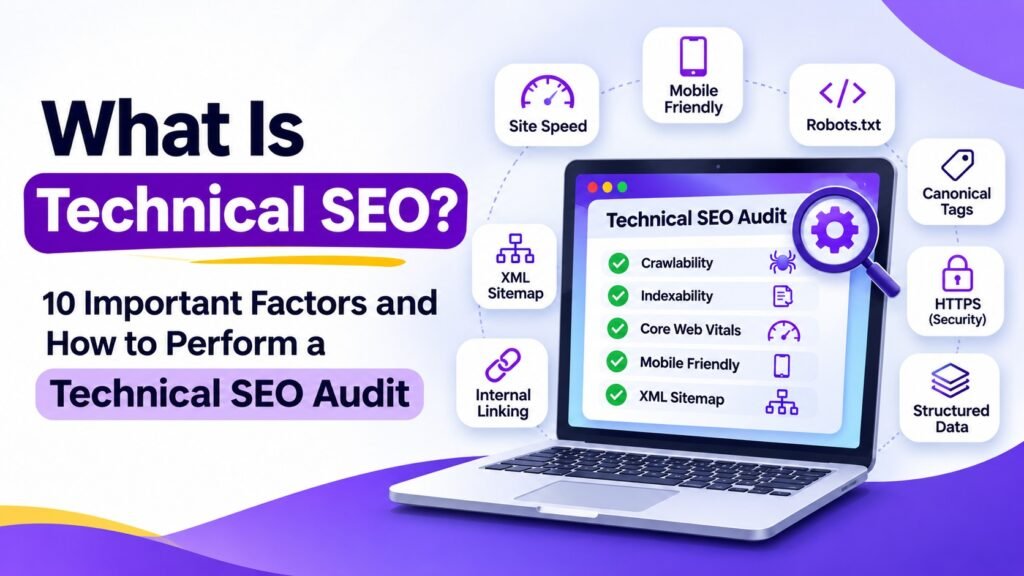
Imagine you’ve published high-quality content on your website, targeted the right keywords, built relevant backlinks, and followed your SEO strategy properly. But despite all these efforts, your website is still not ranking on Google.
Now, what’s the reason?
Is your content not good enough? Are you missing backlinks? Or is there a technical problem with your website that’s preventing Google from understanding your pages properly?
This is where Technical SEO comes into the picture.
Technical SEO is one of the most important parts of Search Engine Optimization. You can have excellent content and a strong backlink profile, but if search engines cannot properly access, crawl, render, understand, or index your website, your SEO performance can suffer.
In this guide, I’ll explain what Technical SEO is, why it matters, the most important technical SEO factors, and how an SEO professional can perform a technical SEO audit using practical tools.
Let’s get started.
What Is Technical SEO?

Technical SEO is a part of Search Engine Optimization (SEO) that focuses on optimizing the technical aspects of a website so search engines can efficiently crawl, render, understand, and index its pages.
There are four important terms you should understand:
- Crawl: Search engines should be able to discover and access your website’s pages.
- Render: Search engines should be able to process your page’s content, resources, and layout correctly.
- Understand: Search engines should be able to interpret your content, page structure, and the relationships between different pages.
- Index: Eligible pages should be able to get included in Google’s search index.
Let’s understand this with a simple example.
Imagine you’ve opened a physical shop. You have good products, competitive pricing, and you’ve already invested in marketing. But there’s one problem: the entrance to your shop is closed.
Customers cannot enter, explore your products, or make purchases.
In this situation, all your efforts are going to waste because people cannot access what you’re offering.
The same thing can happen with a website.
You might have excellent content and relevant backlinks, but if technical problems prevent Googlebot from accessing or understanding your important pages, your SEO efforts may not deliver the expected results.
That’s why I consider Technical SEO the foundation of a website’s SEO strategy.
Related Post : How Google Search Works: Crawling, Indexing and Ranking Explained
Why Is Technical SEO Important?
When we talk about SEO, we generally focus on three major areas:
- On-Page SEO
- Off-Page SEO
- Technical SEO
Each area serves a different purpose.
On-Page SEO focuses on optimizing content, keywords, headings, meta tags, and other elements on your website.
Off-Page SEO focuses on building authority through backlinks, brand mentions, and other external signals.
Technical SEO focuses on making sure your website is technically accessible, properly structured, and easy for search engines to process.
Now, imagine you’ve completed your keyword research, optimized your content, and built quality backlinks.
But Google cannot crawl some of your important pages because of incorrect robots.txt rules. Or perhaps your important service pages have accidentally been marked as noindex.
In both situations, technical problems can affect your website’s search visibility.
Here are some of the major benefits of Technical SEO:
- Improves Search Engine Crawling: Helps search engines discover and access important website pages.
- Supports Proper Indexing: Helps ensure important, eligible pages can be included in Google’s index.
- Improves Website Performance: Helps identify loading speed and Core Web Vitals issues.
- Enhances Mobile Usability: Makes your website easier to access and navigate on mobile devices.
- Manages Duplicate Content: Helps search engines understand the preferred version of similar or duplicate URLs.
- Improves Website Structure: Makes it easier for users and search engines to navigate your website.
- Helps Search Engines Understand Content: Structured data and a logical website structure provide additional context about your pages.
One thing I always want beginners to understand is that Technical SEO does not guarantee higher rankings on its own.
However, it helps create a technically healthy website where search engines can access and process your content effectively.
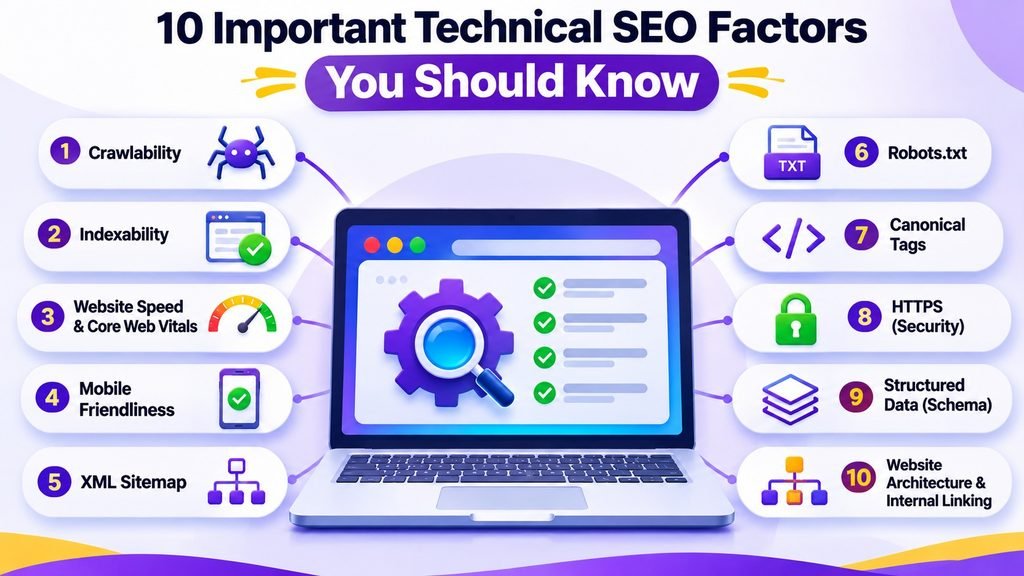
10 Important Technical SEO Factors You Should Know
Now let’s get to the most important part.
If you’re working as an SEO Executive, SEO Specialist, or SEO Professional, these are the technical SEO factors you should understand and regularly check.
Let’s break them down one by one.
1. Website Crawlability
Crawlability refers to whether search engine bots can discover and access the pages of your website.
Google uses a crawler called Googlebot to discover and crawl webpages across the internet.
Let’s understand this with an example.
Suppose your website has 100 pages, but due to a technical issue, Googlebot cannot access 30 of your important pages.
Those pages may miss opportunities to appear in Google search results unless Google discovers them through another route and they are eligible for indexing.
As an SEO professional, you need to check several elements to understand whether your website is crawlable.
Important things to check for website crawlability:
- Robots.txt File: Check whether you’re accidentally blocking important website sections.
- Internal Linking: Make sure important pages are connected through relevant internal links.
- XML Sitemap: Check whether your important URLs are included in the sitemap.
- HTTP Status Codes: Identify pages returning errors such as 404, 403, or 5xx.
- Crawl Errors: Find out whether search engine bots are experiencing problems accessing your website.
For example, if you’ve accidentally blocked an important category page through robots.txt, Googlebot may not be able to crawl it.
That’s why checking crawlability should be one of the first steps in a technical SEO audit.
We’ll explore these elements individually in upcoming practical SEO lessons.
2. Website Indexability
The second important factor is Indexability.
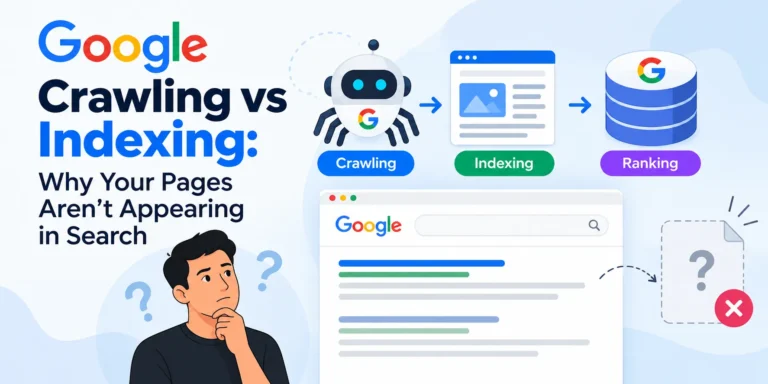
Here, I want you to understand one thing clearly: Crawling and Indexing are two different processes.
- Crawling means Googlebot accesses and processes a webpage.
- Indexing means Google processes the information and may include the page in its search index.
Not every crawled page automatically gets indexed by Google.
There can be several reasons why a page is not indexed.
Some common reasons include:
- Noindex Tags
- Duplicate Content
- Canonical Issues
- Low-quality or Unhelpful Content
- Technical Restrictions
Let’s take an example.
Suppose you’ve created an important service page for your business. You’ve optimized its content, added internal links, and included it in your XML sitemap.
But accidentally, someone has added a noindex meta tag to that page.
As a result, Google can crawl the page but will receive a directive not to include it in the search index.
This means your page won’t be eligible for indexing while that noindex directive remains in place.
That’s why checking indexability is extremely important.
As an SEO professional, you should regularly review your important URLs and check whether they are eligible for indexing.
Google Search Console’s Page Indexing report can help you identify indexing-related issues.
Related Post : Google Crawling vs Indexing: Why Your Pages Aren’t Appearing in Search
3. Website Speed and Core Web Vitals
The third important factor is Website Speed and Core Web Vitals.
Let me ask you something.
Imagine you visit a website, click on a page, and it takes 8–10 seconds to load.
Would you prefer to stay on that website?
Probably not. You might simply close it and visit another website.
This is why website performance is an important part of Technical SEO.
Google uses Core Web Vitals to measure specific aspects of the user experience, particularly loading performance, interactivity, and visual stability.
There are three main Core Web Vitals metrics you should know.
LCP – Largest Contentful Paint
LCP measures how quickly the largest content element visible within the viewport loads.
This could be a large image, a video poster, or a major block of text.
Recommended threshold: 2.5 seconds or less.
If your main banner image takes too long to load, it can negatively affect your LCP score.
INP – Interaction to Next Paint
INP measures how quickly a webpage responds visually after a user interacts with it.
For example, when someone clicks a button, opens a menu, or interacts with a form, the page should respond without unnecessary delays.
Recommended threshold: 200 milliseconds or less.
A poor INP score can indicate that your website is taking too long to respond to user interactions.
CLS – Cumulative Layout Shift
CLS measures unexpected layout movements while a webpage loads.
For example, imagine you’re reading an article and suddenly an image loads above the paragraph. The entire content shifts down, and you lose your reading position.
That’s an example of a layout shift.
Recommended threshold: 0.1 or less.
These three metrics help you understand different aspects of your website’s user experience.
To check your website performance and Core Web Vitals, you can use Google PageSpeed Insights.
It provides performance reports along with suggestions for improving your website.
4. Mobile-Friendly Website
The fourth important factor is Mobile Friendliness.
Today, a large number of users access Google through mobile devices. This makes mobile usability an important consideration for every website.
Your website should work properly across different screen sizes.
Here are some things you should check:
- Text should be easy to read without zooming.
- Buttons should be properly visible and functional.
- Images should adjust according to the screen size.
- Users should not need unnecessary horizontal scrolling.
- Navigation should be simple and easy to use.
- Important content should remain accessible on mobile devices.
Another important concept you need to understand is Mobile-First Indexing.
Google primarily uses the mobile version of a website’s content for indexing and ranking.
Now, imagine your desktop website contains all your important content, but some of that content is missing from the mobile version.
Or perhaps important links and navigation elements don’t work properly on mobile.
This can create problems because Google primarily evaluates the mobile version of your website.
So, don’t just check how your website looks on a desktop. Always test how it performs on mobile devices as well.
Related Post : How to Fix Discovered – Currently Not Indexed in Google Search Console
5. XML Sitemap
Now let’s talk about the XML Sitemap.
In simple terms, an XML Sitemap is a structured list of important URLs on your website.
It helps search engines discover URLs, especially when they might not easily find those pages through internal links.
For example, your website’s XML sitemap might be available at:
https://yourwebsite.com/sitemap.xmlIf you’re using WordPress, SEO plugins such as Rank Math and Yoast SEO can automatically generate XML sitemaps.
However, simply generating an XML sitemap isn’t enough.
You also need to make sure it’s properly configured.
Here are some important checks:
- Include Important URLs: Your sitemap should contain the canonical versions of important pages.
- Exclude Noindex Pages: Pages that you don’t want indexed should generally not be included.
- Check URL Status Codes: Sitemap URLs should return the correct status, ideally HTTP 200.
- Avoid Redirected URLs: Don’t unnecessarily include URLs that redirect to another page.
- Submit Your Sitemap: Add your XML sitemap to Google Search Console.
One more thing: Submitting an XML sitemap does not guarantee that Google will index every URL included in it.
It simply helps Google discover your URLs. Google still decides which pages are eligible and suitable for indexing.
6. Robots.txt File
The next important factor is the Robots.txt file.
Robots.txt is a file that provides instructions to search engine crawlers about which parts of your website they should or should not crawl.
For example, a WordPress website might have the following robots.txt configuration:
User-agent: *
Disallow: /wp-admin/
Allow: /wp-admin/admin-ajax.php
Let’s understand what this code means.
User-agent: * means the following rules apply to all user agents.
Disallow: /wp-admin/ tells compliant crawlers not to crawl the WordPress admin section.
Allow: /wp-admin/admin-ajax.php allows crawlers to access that specific file, even though the broader directory is disallowed.
But there’s one important thing you need to remember.
Robots.txt is not a method for removing a page from Google’s index.
Many beginners make this mistake.
Suppose you want to remove a particular page from Google search results. Simply blocking that URL in robots.txt won’t necessarily remove it from the index.
In fact, if Google cannot crawl the page, it may not be able to see the noindex directive you’ve added to it.
If you want a page removed from the index, you generally need to implement an appropriate noindex directive and allow Google to crawl the page so it can process that directive.
Therefore, always be careful when making changes to your robots.txt file.
7. Canonical Tags
Now let’s understand Canonical Tags.
Imagine your website has the same product or similar content accessible through multiple URLs.
For example:
https://example.com/producthttps://example.com/product/?color=blackhttps://example.com/product/?size=largeThese URLs may display the same product with different parameters or variations.
Now Google needs to understand which URL you consider the preferred version.
This is where the canonical tag comes into the picture.
A canonical tag provides search engines with a signal indicating which URL should be treated as the preferred version among duplicate or similar pages.
For example:
<link rel="canonical" href="https://example.com/product/" />This tells search engines that the preferred URL is:
https://example.com/productCanonical tags are particularly useful for managing duplicate or similar URLs.
You might encounter canonicalization issues on:
- E-commerce product pages
- Pages with URL parameters
- Filtered category pages
- Pagination variations
- Websites with multiple URL versions
However, remember that a canonical tag is a signal, not an absolute instruction.
Google can choose a different canonical URL if other signals suggest that another version is more appropriate.
That’s why you should implement canonical tags correctly and keep them consistent with your internal linking and sitemap URLs.
8. HTTPS and Website Security
The next important factor is HTTPS.
If you’ve ever looked at website URLs, you might have noticed that some websites start with HTTP, while others start with HTTPS.
What’s the difference?
HTTPS helps protect the communication between a website and a user’s browser through an encrypted connection.
It uses SSL/TLS certificates to establish a secure connection.
For Technical SEO, your website should be properly accessible over HTTPS.
But installing an SSL certificate isn’t the only thing you need to do.
You should also check the following:
- Your HTTPS version should load correctly.
- HTTP URLs should redirect to their corresponding HTTPS URLs.
- Internal links should point to HTTPS versions.
- Your XML sitemap should contain HTTPS URLs.
- Canonical tags should reference the correct HTTPS URLs.
- You should avoid creating duplicate HTTP and HTTPS versions.
For example, if both versions of your homepage are accessible:
http://example.com
https://example.comYou should configure appropriate permanent redirects so visitors and search engines are directed to your preferred HTTPS version.
This helps maintain consistent URL signals and avoids unnecessary duplicate versions.
Related Post : 10 Technical SEO Myths Beginners Should Stop Believing
9. Structured Data and Schema Markup
Now let’s talk about Structured Data and Schema Markup.
Structured data is additional information provided in a specific format that helps search engines understand the content of a webpage more clearly.
For example, imagine you have an e-commerce website selling products.
On a product page, you can implement Product Schema to provide structured information about that product.
This information may include:
- Product Name
- Price
- Availability
- Reviews
Similarly, depending on your website and page content, you can use different schema types, such as:
- Article Schema
- Organization Schema
- Breadcrumb Schema
- Local Business Schema
- Product Schema
One commonly used format for implementing structured data is JSON-LD.
Here’s a simple example of a JSON-LD Product Schema:
<script type="application/ld+json">
{
 "@context": "https://schema.org",
 "@type": "Product",
 "name": "Example Product",
 "offers": {
 "@type": "Offer",
 "price": "499",
 "priceCurrency": "INR",
 "availability": "https://schema.org/InStock"
 }
}
</script>
This example provides structured information about a product, including its name, price, currency, and availability.
After implementing structured data, you should validate it to identify errors.
Two useful tools are:
- Google Rich Results Test
- Schema Markup Validator
One thing to remember: Implementing schema markup does not guarantee that your website will display rich results in Google.
Your structured data must follow Google’s guidelines, and Google decides whether a page qualifies for a particular rich result.
10. Website Architecture and Internal Linking
The last factor we’ll discuss is Website Architecture.
Imagine your website has 500 pages, but there’s no proper structure connecting them.
Some important pages are not linked from the homepage. Users have to click six or seven times just to reach certain content.
In this situation, discovering important information becomes difficult for both users and search engines.
That’s why having a logical website structure is important.
For example, a simple website architecture might look like this:
Homepage
 |
 |--- Category Page
 |
 |--- Subcategory Page
 |
 |--- Blog Page
This structure helps organize your content into meaningful sections.
For example, if you run an SEO website, your structure might look something like this:
Homepage
 |
 |--- SEO Guides
 | |
 | |--- Technical SEO
 | |--- On-Page SEO
 | |--- Off-Page SEO
 |
 |--- SEO Tools
 |
 |--- SEO Case Studies
 |
 |--- SEO Blog
Along with website architecture, you should also focus on Internal Linking.
Internal linking means connecting one relevant page of your website to another page on the same website.
For example, if you’re publishing an article about Technical SEO, you can link to relevant articles about website crawling, indexing, XML sitemaps, robots.txt, and canonical tags.
This helps users discover related information and gives search engines additional context about the relationships between your pages.
A well-planned website structure combined with relevant internal links makes website navigation easier and helps search engines discover important content.
How to Perform a Technical SEO Audit: A Practical Approach

So far, we’ve discussed the major Technical SEO factors.
But here’s the practical question:
How does an SEO professional actually perform a Technical SEO Audit?
Let’s say you’ve received a new client’s website, and your responsibility is to identify its technical SEO issues.
You don’t need to check everything manually. There are several tools that can help you analyze different aspects of a website.
Here are four tools I recommend understanding.
1. Google Search Console
Google Search Console is one of the first tools I recommend checking during a Technical SEO Audit.
It provides useful information about how Google interacts with your website.
You can use it to check:
- Page indexing issues
- Crawling-related reports
- XML Sitemap submission status
- Core Web Vitals reports
- Search performance
- URL Inspection data
For example, if an important page isn’t appearing in Google’s search results, you can use the URL Inspection tool to investigate its indexing status and understand whether Google has identified any issues.
You can access it here: https://search.google.com/search-console
2. Screaming Frog SEO Spider
The second tool is Screaming Frog SEO Spider.
This tool is extremely useful when you want to crawl an entire website and identify technical SEO issues.
You can use it to find:
- Broken links
- 404 pages
- Redirects
- Missing title tags
- Missing meta descriptions
- Canonical tag issues
- Duplicate URLs
- Redirect chains
- Other on-page and technical issues
For example, if a website has 500 URLs, checking every page manually would take a lot of time.
With Screaming Frog, you can crawl the website and analyze the results in one place.
You can access it here: https://www.screamingfrog.co.uk/seo-spider/
3. Google PageSpeed Insights
The third tool is Google PageSpeed Insights.
You can use this tool to analyze your website’s loading performance and Core Web Vitals.
It provides performance data for both mobile and desktop, along with recommendations for improving performance.
For example, it may identify issues related to:
- Large image files
- Render-blocking resources
- Unused JavaScript
- Unused CSS
- Server response time
- Image optimization
You can use these recommendations to identify opportunities to improve your website’s performance.
Access it here: https://pagespeed.web.dev/
4. Google Rich Results Test
The fourth tool is Google Rich Results Test.
If you’re implementing structured data on your website, this tool can help you check whether your pages contain structured data eligible for Google’s supported rich results.
You can use it to:
- Test structured data
- Identify schema-related errors
- Check eligibility for supported rich results
- Review detected structured data items
Access it here: https://search.google.com/test/rich-results
My Approach to a Technical SEO Audit
Here’s one thing I want to share from a practical SEO perspective.
Whenever you perform a Technical SEO Audit, don’t simply look at the errors generated by different tools and prepare a report.
First, understand which problems actually matter.
Ask yourself:
- Is this issue affecting the crawling of important pages?
- Is Google unable to index important URLs?
- Is there a problem with canonicalization?
- Are users experiencing performance or mobile usability issues?
- Which technical problems should be fixed first?
For example, an important service page accidentally marked as noindex is generally a much more urgent issue than a missing meta description on a low-priority page.
Similarly, a broken internal link pointing to an important page may deserve more attention than a minor warning reported by an SEO tool.
Every technical error does not have the same SEO impact.
A good SEO professional should understand the actual problem, its impact on the website, and the right way to fix it.
10 Common Technical SEO Mistakes You Should Avoid
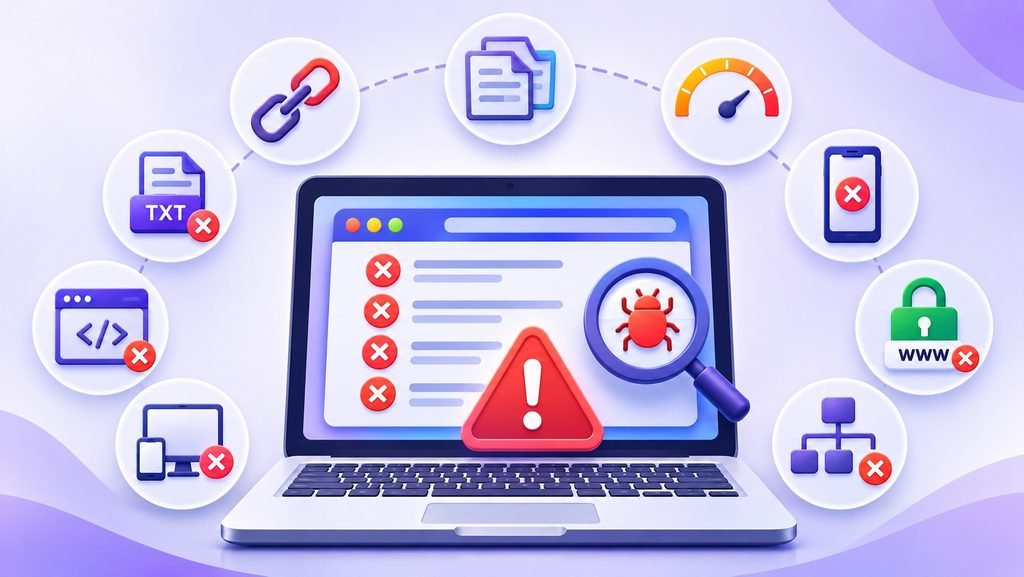
Now let’s discuss some common Technical SEO mistakes that you may encounter while auditing websites.
These are issues you should always keep an eye on.
- Accidentally adding noindex tags to important pages.
- Blocking important website sections through robots.txt.
- Ignoring broken internal links.
- Having duplicate content across multiple URLs.
- Implementing incorrect canonical tags.
- Including 404 and redirected URLs in XML sitemaps.
- Hiding important content from the mobile version.
- Not configuring proper HTTP-to-HTTPS redirects.
- Creating unnecessary redirects and redirect chains.
- Providing incorrect information through structured data.
Let’s take a moment to understand why these mistakes matter.
For example, accidentally adding a noindex tag to an important page can prevent it from being indexed. Blocking important URLs in robots.txt can interfere with crawling. Incorrect canonical tags can send conflicting signals about your preferred URLs.
Similarly, unnecessary redirects can make navigation and crawling less efficient, while incorrect structured data can cause validation issues or make pages ineligible for certain rich results.
A good SEO professional should not only know how to identify these problems but also understand how to resolve them correctly.
Conclusion
So, we’ve covered what Technical SEO is, why it’s important, the major technical SEO factors, and how you can perform a Technical SEO Audit using practical tools.
If I had to explain Technical SEO in one sentence, I would say:
Technical SEO is the process of optimizing your website’s technical foundation so search engines can easily crawl, render, understand, and index its pages.
And remember, SEO is not just about publishing good content and building backlinks.
Your website’s technical foundation is equally important.
You might have the best content in your industry, but you should also make sure search engines can access and process it properly.
If you’re serious about learning SEO, subscribe to SEO Shades.
Because throughout this SEO course, we’ll not only discuss theories but also learn practical SEO by working on real websites.
In the next lesson, we’ll cover:
What Is Website Crawling and How Does Google Crawl a Website?
Until then, Keep Learning, Keep Ranking!
FAQs About Technical SEO
1. What is Technical SEO in simple words?
Technical SEO is the process of optimizing a website’s technical elements so search engines like Google can easily crawl, render, understand, and index its pages. It includes website speed, mobile usability, XML sitemaps, robots.txt, canonical tags, and website architecture.
2. Why is Technical SEO important for a website?
Technical SEO helps search engines access and understand your website properly. It also helps identify issues related to crawling, indexing, website performance, duplicate content, and mobile usability that may affect your website’s search visibility.
3. What are the most important Technical SEO factors?
Some important Technical SEO factors include:
Website Crawlability
Website Indexability
Core Web Vitals
Mobile Friendliness
XML Sitemap
Robots.txt File
Canonical Tags
HTTPS Security
Structured Data
Website Architecture and Internal Linking
4. Which tools are best for performing a Technical SEO Audit?
Some commonly used tools for Technical SEO Audits are Google Search Console, Screaming Frog SEO Spider, Google PageSpeed Insights, and Google Rich Results Test. These tools help identify crawling, indexing, performance, and structured data issues.
5. Does Technical SEO directly improve Google rankings?
Technical SEO helps create a technically healthy website that search engines can access, crawl, and understand. Fixing critical technical issues can improve search visibility, but Technical SEO alone does not guarantee higher Google rankings. Content quality, relevance, competition, and other SEO factors also matter.



Comments
No comments yet. Be the first to share your thoughts or ask a question.